Predict SLA Breaches Before They Happen with monday service AI
September 24, 2026
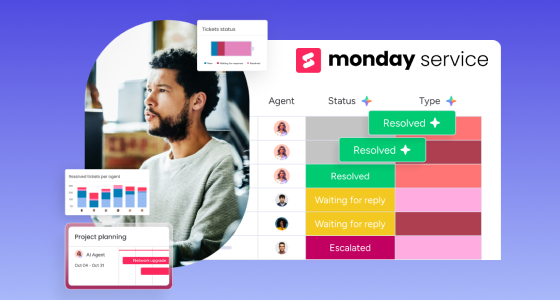
A support ticket sits quietly in a queue for six hours before anyone notices it belongs to a client renewing a six-figure contract next week. By the time an agent finally opens it, the SLA clock has already turned red. This is not a training problem or a staffing problem. It is a visibility problem, and it repeats every week in service teams that still work tickets in the order they arrive rather than the order they matter.
Most service organizations do not actually lack data. Ticket volume, agent workload, customer sentiment, and historical resolution patterns already exist somewhere in the system. What they lack is the ability to act on that data before a deadline passes rather than after a report confirms it was missed.
This guide looks specifically at the AI inside monday service, monday.com's service management product, and focuses on two questions every service leader actually cares about:
Customer expectations for response speed have moved faster than most service teams' processes. According to Zendesk's 2026 CX Trends research, 81% of consumers now expect faster service than they did just a year earlier, and the median first-response time across helpdesks sits at roughly three hours and fourteen minutes, even after AI deflection has already cleared part of the queue.
Round-robin or manual triage makes this worse: a ticket from a churn-risk enterprise account and a routine password reset both enter the same queue and, unless a human happens to notice the difference, get worked in the order they arrived. There is no inherent mechanism that recognizes business impact, only chronology.
The cost of getting this wrong is not abstract:
By the time a dashboard turns red, the SLA has usually already been missed. Traditional reporting tells a service leader what happened; it rarely tells them what is about to happen while there is still time to intervene.
None of this is a criticism of the agents doing the work. A skilled agent handling forty open tickets simply cannot re-rank that entire queue every few minutes as new information arrives. That kind of continuous re-prioritization across dozens of shifting variables is exactly the class of problem software is better suited to than a person checking a queue between calls.
There is a real difference between a platform where AI is native to every board from day one and a platform where AI is a chatbot widget added on top of an otherwise unchanged workflow. monday service belongs to the first category.
Because it runs on monday.com's broader Work OS, GB Advisors typically describes monday.com to clients as an AI Work Platform rather than a collection of separate point tools. That framing matters specifically for a service team: AI is not a module configured once and forgotten. It shows up as:
For a broader view of how this AI layer works across monday.com generally, our earlier guide on monday.com AI in 2026: Sidekick, Vibe, and Agents to automate work covers the platform-wide capabilities this section draws on.
monday service ships with a small number of purpose-built AI agents rather than one general assistant trying to do everything. Each one owns a specific, narrow job, which is part of why they are reliable enough for teams to actually depend on.
The moment a request arrives, this agent:
In practice, an email written in frustrated, negative language can be flagged and escalated to high priority automatically, before an agent has even seen it, simply because the sentiment signal contradicts a routine classification.
Every ticket in monday service carries a native SLA column with a live timer and one of four statuses:
Target times are configurable by priority, request type, or detected sentiment. The SLA Monitor Agent continuously scans every active ticket against these timers and proactively alerts managers when specific cases are at risk, instead of waiting for someone to open a dashboard and notice.
This agent scans for unusual spikes or drops in SLA performance across the board — the kind of pattern that often signals something bigger than one difficult ticket, such as:
Catching that pattern on day one, rather than after twenty individual breaches have already been logged, is the difference between one incident and a bad quarter.
It helps to see this as a sequence rather than a list of features. A customer emails support at 4:50pm on a Friday, frustrated that a payment integration stopped working mid-checkout.
None of this required a custom escalation rule for payment issues on a Friday evening. It followed directly from sentiment detection, business-impact scoring, and a predictive alert working together on data the platform already had.
Dynamic prioritization lets urgency shift as context changes. A ticket moves ahead of routine requests, even if it arrived after them, when it involves:
Smart assignment works the same way for distributing the work itself: instead of a strict round-robin rotation, AI-based matching considers priority, detected sentiment, and each agent's specific skills before assigning a ticket.
According to Salesforce's State of Service research, teams that pair AI-driven triage with priority-based routing report 37% fewer SLA breaches than teams still relying on straightforward round-robin assignment — a meaningful gap for a change that requires no additional headcount.
This same logic already exists elsewhere in the monday.com ecosystem. Our guide to AI Forecasting and Lead Scoring in monday CRM covers how monday CRM ranks sales opportunities by predicted likelihood to close rather than by when they entered the pipeline. If a lead can be scored by how likely it is to convert, a ticket can just as reasonably be scored by how likely it is to breach.
Prediction is the capability that separates AI-assisted service management from AI-decorated service management. Predictive risk models analyze:
...to forecast which SLAs are likely to be missed hours before the deadline actually arrives, giving a manager enough runway to reassign work, escalate, or bring in additional support.
The adoption numbers back this up. Salesforce's State of Service research (6th edition) found that:
The practical difference: instead of a lagging KPI dashboard confirming what already went wrong last week, a manager sees probability-based warnings directly alongside active tickets, with enough context to act immediately instead of after a retrospective.
Service issues rarely stay contained to a single department:
When these teams work from the same intake and prioritization system rather than separate, disconnected tools, the silos that usually hide these dependencies largely disappear — everyone sees the same ticket and the same SLA status instead of reconstructing it secondhand.
Shared, real-time dashboards make this visibility usable at the management level: workload distribution, SLA status, and AI-flagged risk, all in one place. Our earlier piece on monday.com Dashboards: real-time visibility for better project management goes deeper into building dashboard views that make cross-team status genuinely actionable.
Opening that much visibility across departments naturally raises a fair question: who should actually see an HR ticket versus an IT ticket versus a customer complaint? That is a permissions question, not an AI question. Our guide to Advanced Access Control in monday.com covers how role-based access in monday.com lets a service team share dashboards broadly while keeping sensitive ticket content restricted to the people who genuinely need it.
Giving AI broader visibility into ticket content raises a fair question upfront: where does that data live, and who can actually see it? Effective AI-driven service programs generally rest on the same fundamentals:
Organizations handling customer data under frameworks like ISO 27001, SOC 2, GDPR, or HIPAA should confirm how a service platform's AI processes ticket content within those requirements before rolling it out broadly — a conversation worth having explicitly during implementation planning, not a footnote to revisit later.
A few practical checkpoints before rolling this out company-wide:
Agree on a small set of metrics before rollout, not after:
monday service tends to be the stronger fit for organizations that are already using, or open to adopting, a single Work OS across departments, and that want service management to sit alongside projects, sales, and operations rather than isolated in a separate tool.
Organizations running extremely mature, deeply customized ITIL processes — with years of built-out change management, configuration management databases, and formal problem-management workflows — may still be better served by a dedicated, specialized ITSM suite. In that scenario, a direct, side-by-side comparison of what each platform actually supports today is the right move, not a default choice in either direction.
SLA management stops being something a team reports on after the fact and becomes something AI actively protects in real time, from the moment a ticket arrives to the moment it is resolved. None of the three agents described here require a data science team to configure or a six-month implementation to see value from; they run on ticket data a service team already generates every day.
Whether this shift makes sense for a given team still depends on current ticket volume, department structure, and how clean the underlying data already is — exactly the kind of assessment worth doing with a partner who implements this daily rather than guessing from a features page.
GB Advisors works with monday.com service teams across Latin America, the Caribbean, and the US on exactly this kind of rollout. If you want a clear-eyed read on how monday service's AI capabilities would apply to your team's actual ticket volume and structure, get in touch with our team.