Advanced Access Control in monday.com: Secure Your Projects Without Slowing Down Your Team
April 6, 2026
Today’s teams are working faster than ever, but also handling more sensitive data than ever before. From financial reports and legal documents to product roadmaps and customer data, the risk isn’t just losing information—it’s exposing it to the wrong people.
Most organizations face a common problem: work is spread across tools, teams, and departments, making it difficult to control who sees what. This leads to data leaks, compliance risks, and lack of trust internally.
monday.com solves this by combining flexibility with enterprise-grade security, allowing you to centralize work without compromising control.
Unlike rigid systems, monday.com allows you to build workflows tailored to your organization while still maintaining strict governance over data access.
Its Work OS is designed to centralize processes, improve visibility, and eliminate silos, all while giving admins full control over permissions.
This balance is key: security shouldn’t slow your team down, it should enable smarter, safer collaboration.
Here are the core capabilities you can leverage to protect sensitive projects:
These capabilities are part of monday.com’s enterprise-grade governance model, including audit logs, session management, and granular permissions.
Here’s a practical way to implement access control in your organization:
Start by categorizing your data:
Create separate workspaces based on sensitivity:
Map user roles to responsibilities:
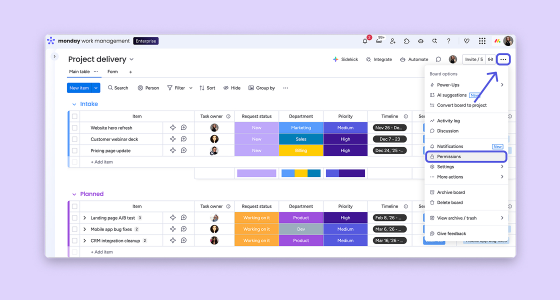
For each board:
The goal is better execution. Organizations using monday.com typically see:
For example, companies that centralize their workflows eliminate fragmented systems and reduce operational friction, one of the main challenges organizations face today.
Even with the right tools, many companies fall into these traps:
The key is balance: enough control to protect your data, but simple enough for teams to actually use.
Access control is not just an IT concern: it’s a business enabler. When done right, it allows your organization to:
monday.com gives you the flexibility to design your workflows and the governance to protect them.
Want to see how this would work in your specific case? Contact us and we’ll walk you through it.