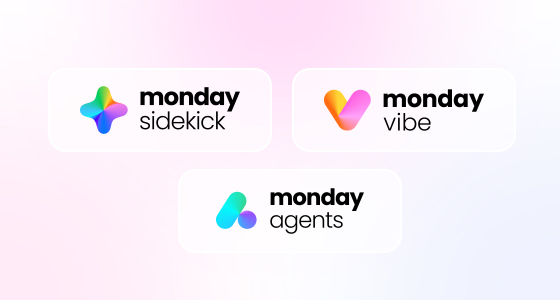
monday.com AI in 2026: Sidekick, Vibe, and Agents to automate work (without relying on IT)
March 5, 2026
What’s new in monday.com AI: less “chat,” more work that moves forward
If you’ve tested AI at work, you’ve probably felt this gap: AI can write and summarize… and then you still end up copying, pasting, updating boards, chasing statuses, and aligning everyone.
What stands out about monday.com AI in 2026 is the shift from “AI as a helper” to AI as part of execution—inside the same system where your team plans, runs, and reports work. The goal isn’t to “have AI.” It’s to remove friction, speed up decisions, and keep control through clear processes and permissions.
In this article, you’ll get a practical view of what monday AI includes today, how it shows up in real workflows, and how teams in sales, operations, project delivery, marketing, and product can use it to drive measurable outcomes.
1) monday sidekick: context-aware AI for faster decisions
What is monday sidekick?
monday sidekick is an AI assistant that understands the context of your work inside monday.com—boards, statuses, owners, conversations, and documentation. Instead of prompting AI in a vacuum, you can ask questions about what’s actually happening in your operation.
Where it delivers immediate value
These are the highest-impact, most adopted use cases:
Executive summaries: “Summarize this project—risks, blockers, next steps.”
Prioritization: “What should I tackle this week to unblock delivery?”
Automatic updates: fewer status meetings and fewer “where are we?” pings.
Operational clarity: “Which tasks are late, why, and who owns them?”
Typical outcome: less time managing work, more time executing it.
2) monday vibe: describe what you need and build faster
What is monday vibe?
monday vibe brings no-code closer to how teams actually work: you describe the workflow or solution you need, and vibe helps create the structure—boards, views, dashboards, and baseline logic—so you’re not starting from scratch.
It feels like “infinite software” in the sense that you can stand up tailored internal solutions quickly, then refine them as the process matures.
Where vibe shines
Vibe is ideal when processes are spread across email, spreadsheets, chat threads, and disconnected tools.
Key benefit: you reduce “system design time” and get to the part that matters—making the workflow work and driving adoption.
3) monday agents: AI that executes (not just suggests)
What are agents?
Agents go beyond assistance. They’re designed to take action inside the workflow—routing, updating, notifying, preparing context, and triggering processes. They don’t stop at recommendations; they help work move forward.
Real use cases by function
Sales (CRM)
Classify leads by intent.
Prepare account context before a call.
Recommend next steps based on deal stage.
Trigger reminders or follow-ups when deals stall.
Operations / PMO
Surface risks through signals (delays, dependencies, lack of updates).
Request updates from owners without manual chasing.
Turn a brief into a structured checklist and execution plan.
Draft message variations without losing consistency.
Summarize multi-stakeholder feedback and convert it into tasks.
Product / Tech
Convert internal requests into structured tickets.
Summarize long threads and define next steps.
Maintain traceability across discovery, delivery, and releases.
The key: agents work best with a specific objective and clear rules. “One agent for everything” usually becomes hard to govern.
4) Workflows + AI blocks: smart automation for complex processes
What are AI blocks?
AI blocks are modular capabilities you can embed in workflows for tasks that normally involve ambiguity: reading and understanding text, summarizing, classifying, extracting key fields, or proposing actions.
What processes benefit most?
Approvals with multiple conditions (amount, risk, request type).
Standardized ways of working (so work doesn’t depend on individual habits).
SLA management with alerts and escalation paths.
Impact: you turn scattered processes into a consistent, measurable, scalable system.
So, in summary...
The business value of monday.com AI
When implemented well, monday AI isn’t just “individual productivity.” It moves four core metrics:
Shorter cycle time Less waiting between steps, less friction, fewer hidden dependencies.
Less repetitive manual work Summaries, reporting, status updates, follow-ups, and triage stop being human overhead.
Better visibility for decision-making Leadership gets clear signals—delays, risks, blockers, capacity—not just gut feel.
Easier adoption When teams feel value quickly (and don’t feel they’re adding “yet another tool”), adoption rises.
How to start without overcomplicating it
If you want results, avoid “let’s implement AI” and shift to: “let’s fix one real pain with AI.”
Step 1: choose a workflow with real friction
Helpful prompts:
What steals more time than it should?
Where does information get lost?
What repeats every week?
Where do we create rework due to unclear ownership or steps?
Step 2: define a measurable outcome
Examples:
Reduce status meetings by 30%.
Cut approval time from 7 days to 48 hours.
Improve pipeline visibility with automated weekly reporting.
Reduce rework from incomplete briefs.
Step 3: run a small pilot
Start with one team and one workflow. Tune it, document it, then scale.
Step 4: keep humans in the loop
AI should propose and execute within guardrails—but you define:
permissions,
approval criteria,
escalation rules,
what’s automated vs. what requires validation.
Common pitfalls that slow down monday AI success
Trying to automate everything at once. One workflow that works perfectly beats ten that work halfway.
No governance rules. Without clarity, AI can create noise or inconsistencies.
Designing the system without adoption in mind. If the user experience feels like extra work, people won’t use it.
Not measuring outcomes. If you don’t measure time, cycle, or backlog, you can’t prove impact.
Conclusion: the best AI is the one embedded in real work
The most useful AI is the one that helps you:
reduce manual work,
improve visibility,
speed up decisions,
and maintain governance.
That’s why monday AI stands out: it’s built where work already lives: inside your operational system, not as a separate “AI chat” you have to translate into action.
What if you don’t have monday.com yet?
If you’re not using monday.com today, we can help you quickly assess whether it makes sense for your operation with a fast diagnostic: we’ll identify the process with the most friction, build a pilot, and measure impact—so you can decide with clarity whether it’s worth it (and know exactly where to start).