5 monday.com templates every business leader should know (and how to customize them for real impact)
January 13, 2026
As your organization grows, managing projects, teams, and processes becomes increasingly complex. What once worked with spreadsheets or ad hoc tools quickly turns into delays, inconsistencies, and unnecessary friction.
This is where monday.com templates truly become game-changers for business leaders.
Instead of starting from scratch, monday.com provides ready-to-use, fully customizable templates that help you standardize processes, accelerate execution, and improve collaboration, all while enabling powerful workflow automation.
That said, the real value doesn’t come from using templates “as is.” It comes from choosing the right templates and adapting them to how your business actually works.
Below, we explore five essential monday.com templates every business leader should know—and how to customize them for real impact.
Every successful organization relies on a clear and structured way to manage projects. The Project Management template in monday.com gives you instant visibility into timelines, responsibilities, and dependencies—without adding complexity.
At a glance, teams can see what’s moving forward, what’s blocked, and where attention is needed.
What makes it powerful:
How business leaders usually customize it:
Why it matters:
A well-configured project template creates alignment, accountability, and predictability, turning project management best practices into everyday execution.
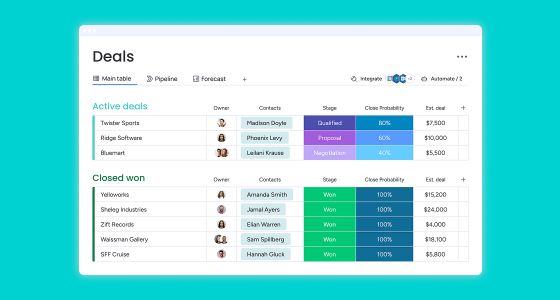
Sales performance depends heavily on process clarity. The CRM & Sales Pipeline template helps teams centralize lead information, track interactions, and move opportunities forward with consistency.
Instead of chasing updates or guessing pipeline health, leaders get real-time visibility into deals, forecasts, and bottlenecks.
Key advantages:
Smart customization ideas:
Why it matters:
A tailored CRM template improves pipeline discipline, shortens sales cycles, and turns data into actionable revenue insights.
As businesses grow, informal processes stop working. The Workflow & Process Tracking template allows teams to document, execute, and automate key processes across departments—HR, procurement, IT, finance, and more.
This template is especially powerful for organizations looking to reduce manual handoffs and approval delays.
What it enables:
Ways teams usually adapt it:
Why it matters:
When workflows are standardized and automated, work moves faster, quality improves, and teams spend less time clarifying “what’s next.”
Strong collaboration doesn’t happen by chance. It requires clear ownership, shared priorities, and transparent communication.
The Team Tasks & Collaboration template gives leaders a simple way to manage daily execution while keeping everyone aligned.
Built-in value:
How teams make it their own:
Why it matters:
Clear task management increases accountability, reduces confusion, and helps teams stay focused, even as priorities shift!
Scaling marketing requires structure, not just creativity. The Marketing Campaign template helps teams plan, execute, and measure campaigns with consistency and clarity.
It connects strategy, execution, and performance in one place.
What’s included:
Common customizations:
Why it matters:
A structured marketing template reduces missed tasks, improves collaboration, and gives leaders real-time visibility into campaign performance.
Templates are a starting point, not the finish line. The most successful teams follow a simple approach:
The best templates are living systems that evolve with your business.
Workflow automation is where monday.com truly shines—but only when it’s built intentionally into your templates.
High-impact automations include:
By embedding automation into your templates, teams save time, reduce errors, and focus on higher-value work.
Operational excellence doesn’t happen by accident. It’s built on clear, scalable, and repeatable processes.
The right monday.com templates help you:
Start with the templates that align most closely with your strategic goals, customize them intentionally, and automate wherever possible.
If your teams are still reinventing workflows or relying on disconnected tools, monday.com templates are a powerful place to start.
👉 Talk to our experts and discover how to customize monday.com templates for your projects, teams, and processes.
We’ll help you design scalable workflows that improve execution, visibility, and adoption from day one.