Construction Project Management: From Pre-Build to Closeout with monday.com
June 17, 2026
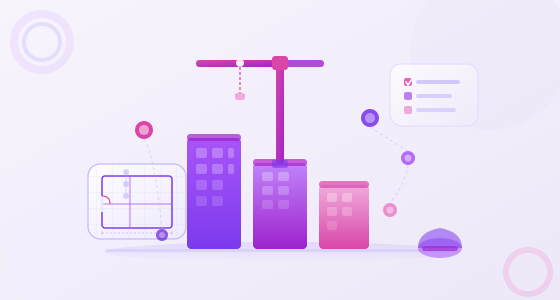
Construction and engineering projects are among the most complex operations any organization can manage. Dozens of contractors, tight delivery windows, shifting budgets, and hard regulatory deadlines — all happening at the same time, across multiple sites, with teams that rarely sit in the same room. The margin for error is thin, and the cost of getting it wrong is high.
Yet many construction companies still run their projects on a combination of spreadsheets, email threads, and disconnected software tools that were never designed to work together. The result is predictable: information gets lost between handoffs, deadlines slip, budget overruns go unnoticed until it's too late, and project managers spend more time tracking down status updates than actually managing work.
monday.com was built to solve exactly this. As an AI-powered work platform, it gives construction and engineering teams a single, connected environment to manage every phase of a project — from the first site analysis to the final closeout documentation — without adding complexity to already demanding workflows.
Before looking at solutions, it's worth naming the problems precisely. Construction project failures rarely happen because of a single catastrophic event. They accumulate from smaller breakdowns in process, communication, and visibility that compound over weeks and months.
On any mid-to-large construction project, you're coordinating between architects, structural engineers, MEP contractors, site supervisors, procurement teams, and the client — often simultaneously. When each party relies on its own tools and formats, critical information gets siloed. A change order approved by the client may not reach the subcontractor responsible for executing it until days later, if at all.
Cost engineering is one of the most technically demanding aspects of construction management. Estimates shift as conditions change — material prices fluctuate, labor availability drops, design modifications add scope. Without real-time cost tracking tied to project tasks, project managers are often working with financial data that's already weeks out of date. By the time the overrun is visible, it's too late to course correct.
Construction schedules are inherently interdependent. A delay in procurement holds up the foundation pour. A foundation pour delayed by two weeks pushes framing, which pushes MEP rough-in, which pushes inspections. Without a system that maps task dependencies and surfaces timeline risks before they cascade, project managers react to delays rather than prevent them.
Environmental impact assessments, safety audits, permit applications, warranty documentation — construction projects generate enormous amounts of compliance paperwork. When this documentation lives in email inboxes and local drives rather than a structured, accessible system, audit preparation becomes a crisis. And in some jurisdictions, incomplete documentation can hold up occupancy permits or trigger regulatory fines.
For engineering firms or general contractors managing several projects in parallel, the challenge isn't just managing one complex project. It's maintaining visibility across all of them simultaneously. Which projects are on track? Which have resource conflicts? Where are the budget risks? Without a portfolio-level view, leadership is forced to rely on manual status reports that are never quite current.
monday.com structures work around customizable boards that adapt to any workflow, making it uniquely well-suited to the multi-phase reality of construction and engineering. Here's how it maps to each stage of a typical project lifecycle.
The pre-construction phase sets the foundation — literally and operationally — for everything that follows. Site analysis, conceptual design, cost estimating, and initial scheduling all need to happen in coordination, often with multiple stakeholders reviewing and approving deliverables.
In monday.com, you can build a pre-construction board with columns for task ownership, status, due dates, document attachments, and approval stages. Design team members update their deliverables in real time. Project managers see exactly where each element stands without scheduling a status meeting. Clients can be given read-only access to a board or dashboard so they're always informed without adding noise to internal workflows.
Procurement delays are one of the leading causes of construction schedule slippage. monday.com gives procurement teams a structured, visible system for managing the entire process: tracking RFPs, logging bid submissions, recording contract awards, managing supplier contacts, and flagging material lead times that could impact the schedule.
Automated notifications can alert the relevant team members when a bid deadline is approaching, when a contract approval is pending, or when a material shipment is overdue — keeping the procurement pipeline moving without constant manual follow-up.
During active construction, the volume of concurrent tasks is at its peak. monday.com handles this through a combination of views that adapt to different roles and needs. Site supervisors may prefer a Kanban board showing what's in progress, blocked, or completed today. Project managers benefit from a Gantt view that maps task dependencies and shows the critical path. Leadership wants a dashboard showing overall progress against budget and schedule.
All of these views pull from the same underlying data — so everyone is working from a single source of truth, not a fragmented set of reports.
Subcontractors can be given guest access to the specific boards relevant to their scope, eliminating the need for constant email updates while keeping all communication tied to the relevant tasks and documented for future reference.
Before a facility can be handed over, systems need to be tested, verified, and documented. monday.com makes this phase manageable by providing a structured checklist-style workflow where each system test is tracked individually, with columns for the responsible engineer, test date, pass/fail status, and attached documentation.
When a test fails and requires remediation, the workflow automatically creates follow-up tasks, assigns ownership, and sets a reinspection deadline. Nothing falls through the cracks simply because it got lost in an email chain.
Project closeout is often where efficiency breaks down most severely in construction. Punch lists grow longer than expected. Warranty documentation is scattered across inboxes. Handover packages take weeks to compile.
monday.com organizes closeout work the same way it organizes everything else: with clear ownership, visible progress, and automated reminders. Punch list items become tasks with assignees and due dates. Warranty documents are attached directly to the relevant board items. When the client signs off, the project is archived and the documentation is immediately accessible for future reference.
For engineering firms that support clients beyond delivery, monday.com provides continuity. Maintenance schedules, repair requests, equipment inspections, and operations documentation can all live in the same platform — giving the client a consistent experience and the firm a recurring touchpoint that strengthens the relationship.
monday.com's native Gantt view lets you build project timelines, set task dependencies, and instantly see how a delay in one area affects the rest of the schedule. This is essential for construction planning, where interdependencies are the rule rather than the exception. When a task slips, the Gantt automatically recalculates downstream impacts — giving the project manager the information needed to adjust resources or escalate before the problem compounds.
You can configure columns in monday.com to track estimated versus actual costs at the task level, then aggregate those figures into dashboard widgets that show overall project financial health. Combined with monday.com's formula columns, you can calculate variances, flag items that exceed threshold percentages, and generate financial snapshots that would otherwise require manual report compilation.
For deeper financial integration, monday.com connects with accounting platforms like QuickBooks and NetSuite, keeping cost data synchronized across systems rather than maintained separately.
Construction project management involves a constant cycle of notification, follow-up, and escalation. monday.com's no-code automation builder handles the routine parts of this cycle automatically. You can configure rules like: "When a task status changes to 'Delayed,' notify the project manager and move the due date forward by three days." Or: "When a permit review is due in five days and status is still 'Pending,' send an alert to the compliance officer."
These automations don't require IT involvement to build or maintain. Project managers set them up directly from the board, in minutes. The result is a significant reduction in administrative overhead — and far fewer status-chasing conversations. Learn more about setting up effective workflows in our guide to custom automations in monday.com.
Plans, specifications, permits, RFIs, submittals — construction projects are document-intensive. monday.com allows files to be attached directly to the relevant task or board item, making it easy to find the right document in context rather than searching through a shared drive or email history. You can integrate with Google Drive, Dropbox, or OneDrive so that files remain in your existing storage while the link and metadata live in monday.com.
For construction companies managing multiple projects in parallel, monday.com's portfolio view provides exactly the kind of leadership-level visibility that traditional project management tools lack. You can create a master dashboard that aggregates key metrics across all active projects: overall schedule health, budget status, resource utilization, and critical path risks — all in one screen, updated in real time.
This means leadership can identify which projects need attention without waiting for weekly status reports. Explore what this looks like in practice in our post on building a scalable project portfolio management system with monday.com.
The latest AI capabilities in monday.com — including monday AI and the monday Sidekick — bring meaningful productivity gains to construction workflows. AI can automatically generate task summaries, suggest next steps based on board activity, draft communications, and flag anomalies in project data that might otherwise go unnoticed until they become problems.
For construction project managers who are already stretched thin, the ability to get intelligent recommendations without switching tools or building complex queries represents a genuine change in daily productivity.
The operational benefits of moving construction project management to monday.com are measurable and consistent across project types and organization sizes:
Reduced schedule slippage. When every task has a clear owner, a due date, and a visible status, delays surface earlier and remediation happens faster. Teams that previously discovered schedule risks in weekly review meetings catch them in real time.
Fewer budget surprises. Tracking estimated versus actual costs at the task level — rather than reviewing a monthly accounting report — gives project managers the data they need to make mid-project adjustments before overruns become structural.
Less time in status meetings. When everyone can see project status in a shared board, the meeting agenda shrinks dramatically. Teams that previously spent two hours in weekly status reviews routinely reduce that to 30-minute exception-based discussions.
Faster client communication. With dashboards that can be shared with clients in real time, project managers spend less time compiling reports and more time on the work itself. Clients feel more informed and confident, which reduces the frequency of ad hoc update requests.
Stronger compliance posture. Structured documentation workflows mean that compliance evidence is organized and accessible at all times, not just when an audit is scheduled. This is particularly valuable for construction projects subject to environmental review, safety regulation, or public procurement requirements.
If you're new to monday.com, the most effective starting point is a single project — ideally one that's currently in the pre-construction or procurement phase, where there's still time to build the workflow before the pace of the project accelerates.
Start by mapping your current workflow into a board: what are the phases, who owns each, and what information does each task need to capture? monday.com's pre-built construction templates give you a starting point that you can customize to match your specific processes rather than building from scratch.
From there, add the automations that would save the most time in your current workflow. Notification reminders, status escalations, and deadline alerts are almost always the highest-value starting points. Our guide on essential monday.com automations walks through the most impactful ones in practical terms.
As the team becomes comfortable with the platform, you can expand into dashboards, cross-project portfolio views, and deeper integrations with your existing tools. The key is to start focused and expand deliberately — which is how effective change management for monday.com adoption works in practice.
Implementing a new work platform in a construction company is not just a technical task, it's a change management challenge. Teams have established habits, existing tools, and justifiable skepticism about anything that promises to make their work easier.
GB Advisors specializes in monday.com implementations for organizations across Latin America, with a focus on making the transition fast, practical, and built around the real workflows of your teams — not a generic configuration that requires everyone to adapt to the tool rather than the other way around.
Whether you're starting from a blank slate or migrating from an existing project management system, our implementation process is designed to get your teams productive on monday.com quickly, with the training, support, and customization that makes adoption stick.
Ready to see what monday.com can do for your construction projects? Talk to a monday.com specialist at GB Advisors and get a workflow assessment tailored to your organization.