monday.com integrations with Slack, Teams, and Google Workspace: how to centralize work
March 17, 2026
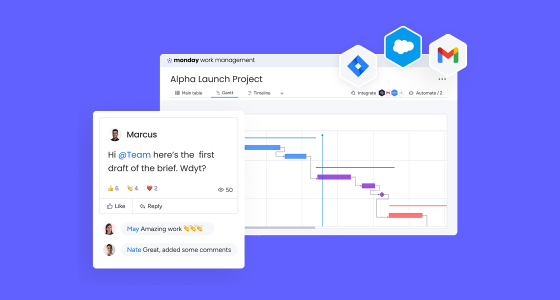
Modern teams move fast, but they also work across too many disconnected tools. Conversations happen in chat apps, tasks live in project boards, files sit in cloud drives, and deadlines are tracked somewhere else. The result is familiar: duplicated work, missed updates, poor visibility, and too much manual coordination.
This is where monday.com integrations become strategically valuable.
Rather than simply connecting apps, they help create a unified digital workspace where communication, execution, files, and project tracking stay connected. Instead of chasing updates across Slack, Microsoft Teams, Gmail, Google Calendar, or Drive, teams can manage work from a central system that keeps everyone aligned.
In a world where professionals rely on multiple tools every month and where simplifying the tech stack has become a business priority, integrating monday.com with collaboration platforms is no longer just convenient. It is a practical way to improve how work gets done.
The real problem in many organizations is not a lack of tools. It is having too many disconnected systems. When each team works in its own application, information becomes fragmented, handoffs become messy, and execution slows down.
monday.com is positioned to solve that friction by acting as a unified Work OS that connects people, workflows, data, and execution in one place.
Integrating monday.com with your collaboration stack helps you:
Tasks, files, conversations, owners, and deadlines are tied to the actual work instead of being scattered across tools.
Relevant updates reach the right people at the right time without relying on manual follow-up.
Routine reminders, status changes, notifications, and new task creation can happen automatically.
Teams gain a clearer view of progress, bottlenecks, priorities, and accountability.
Less context switching, less searching for information, and fewer things falling through the cracks.
This kind of connected environment also mirrors what successful digital transformation projects achieve in practice: centralized information, better traceability, less manual work, and faster decision-making.
Slack is great for fast collaboration, but not always for structured execution. Important requests get buried in threads, updates disappear quickly, and action items often remain informal.
By integrating monday.com with Slack, teams can turn conversations into trackable work and make progress visible inside the communication tool they already use every day.
With this integration, teams can automatically receive updates when a task changes status, when ownership shifts, or when a blocker appears. They can also turn Slack messages into monday.com items, helping ensure that requests, ideas, or feedback do not get lost.
Slack becomes more than a messaging space. It becomes a connected layer of execution.
A marketing team can get automatic notifications when assets move into review or when deadlines change. An operations team can escalate blockers into a dedicated Slack channel for faster response. A sales team can turn customer feedback shared in Slack into structured follow-up tasks inside monday.com.
That means less chasing and more coordinated action.
For many organizations, Microsoft Teams is the core hub for meetings, internal collaboration, and day-to-day coordination. But if project execution lives elsewhere, teams still lose context between discussion and delivery.
Integrating monday.com with Microsoft Teams helps close that gap by bringing structured work management closer to where conversations already happen.
Teams can view boards directly inside Microsoft Teams, receive automatic project updates in relevant channels, and connect meeting outcomes to actual workflows. This makes it easier to move from discussion to action without disconnecting the process.
It is especially valuable for organizations that already rely heavily on Microsoft 365 and want stronger project visibility without changing how people communicate.
A project team can manage sprint execution and follow-ups without constantly switching tools. HR can automate onboarding reminders and approval workflows. Leadership teams can run meetings in Teams while keeping decisions, owners, and next steps structured in monday.com.
This creates a more connected environment for execution and accountability.
Google Workspace remains a core part of daily work in many businesses. Gmail, Calendar, Drive, Docs, and Forms support communication, scheduling, and documentation across departments.
When connected to monday.com, those tools become part of a more streamlined workflow instead of separate systems requiring manual updates.
Teams can link important emails to workflows, sync deadlines with Google Calendar, attach Drive files to active tasks, and turn form submissions into structured requests inside monday.com.
This improves not only speed, but also consistency, traceability, and clarity.
A request submitted through Google Forms can automatically create a new item in monday.com. A content calendar can sync deadlines with Google Calendar to keep contributors aligned. A creative brief stored in Google Drive can stay connected to the relevant task so the team always works from the correct file.
For cross-functional teams, this reduces friction and supports a single source of truth.
Connecting apps is not enough on its own. To make integrations truly effective, organizations should approach them intentionally.
Not every update should create an alert. Focus on events that actually matter to the flow of work.
Start with repetitive tasks such as reminders, approvals, task creation, owner changes, and status notifications.
Integrations work best when monday.com acts as the central workspace rather than just another isolated board.
When every team uses a different structure, integrations become harder to scale. Shared logic improves consistency.
Workflows evolve, so integrations should evolve too. Revisit recipes, notifications, and automations over time.
monday.com integrations do more than solve a technical problem. They solve an operational one.
When Slack, Microsoft Teams, and Google Workspace are connected to monday.com, work becomes easier to follow, easier to manage, and easier to move forward. Teams spend less time chasing updates and more time executing with context.
That shift directly affects productivity, collaboration, and the ability to scale work without adding more chaos.
Integrating monday.com with Slack, Microsoft Teams, and Google Workspace helps organizations centralize work, reduce friction, and improve visibility across teams. It is not just about convenience. It is about creating a more connected way of operating.
If your team already relies on multiple tools for communication, planning, and file sharing, the opportunity is clear: bring those systems together in a unified workspace and make work flow with less effort and more clarity.