HR Digitization Across Locations: Onboarding, E-Signatures, Records
November 13, 2026
It is Friday afternoon and an HR coordinator is scrolling through a spreadsheet of pending signatures: one color per location, one column for "sent on WhatsApp", another for "still waiting". Three supervisors have confirmed that the paper copies are in a drawer somewhere. Two employees do not have a corporate email address. Nobody can say with certainty which version of the contract each person signed.
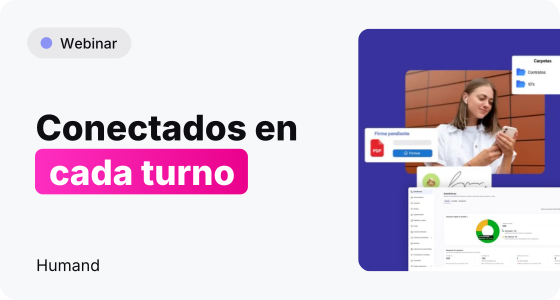
None of this is exotic. It is what HR looks like in any company with more than one site, more than one shift and a mix of people who sit at a desk and people who never do. We dedicated a full webinar to exactly this situation, and this article is the written version of what we showed: how onboarding, electronic signatures and digital employee records can run from one place, including for staff who never open a laptop. If you prefer to watch it, the full recording is on our YouTube channel.
Most HR processes were designed with an office worker in mind: someone with a corporate email, a laptop and a reasonable amount of time to read an attachment, sign it and send it back. Then the company grows, opens a second plant, adds a night shift, and the same process is suddenly expected to reach a machine operator, a driver and a cashier. The process does not change. The people do.
What happens next is predictable. HR stops chasing through the official channel and starts chasing through whatever works. We have written before about the moment when chat groups stop being enough for internal communication, and the same drift shows up in HR paperwork, with an added difficulty: paperwork needs evidence, and a chat thread is a poor filing cabinet.
There is also a quieter effect that rarely shows up in a report. People learn that the official process is slow, so they stop trusting it, and the informal workaround becomes the real process. From that point on, improving HR means first rebuilding the habit of using the proper channel, which is only possible if the proper channel is easier than the shortcut. That is the standard any new tool has to meet, and it is the one we kept in mind throughout the demo.
Each location ends up with its own way of doing things. One plant prints and archives, another scans and emails, a third relies on the supervisor's memory. The head office sees none of it in a single view, so every question about status ("has everyone received the new policy?") becomes a round of phone calls.
A signature sounds like a ten-second task. In practice it means sending the document, reminding the person, receiving a photo of a signed page, checking it is the right page and filing it. Multiply that by every hire, every policy update and every change of terms, and the team that was supposed to be working on people is working on paper. That is not a discipline problem. It is a design problem.
When a company decides to digitize HR, the first obstacle is rarely technology. It is a set of beliefs that sound reasonable in a meeting and fall apart on a plant floor. The webinar took on the myths around HR digitization, and these are the ones we hear most often.
This is the most frequent objection and the easiest to resolve. Humand runs as a mobile app on iOS and Android, and employees without a corporate email address can use it. Documents are signed electronically from any device, and the employee's own file is available from a phone. The question is not whether frontline staff can take part, but whether the process was designed around the device they actually carry.
It does not have to. Humand is modular: you activate the capabilities you need and leave the rest off, so the first phase can be as small as onboarding and documents. Permissions are managed through roles that can be changed in a few clicks without IT support, which keeps day-to-day administration with HR.
They work until someone asks for evidence: who received this, when, and which version. A scanned PDF in a shared folder is not a record system, and a chat group is not an approval flow. If the compliance side of signatures is what worries you, our article on digital signatures and HR compliance frames the questions to ask in your own country.
Locations do differ, and that is exactly why a single platform with segmentation is more useful than a separate tool per site. The structure stays common, while the content changes where it has to: a different task list for a plant than for a store, a document that only one country needs, a form for one location. You standardize the skeleton and let each site add its own details, instead of maintaining a different process everywhere.
The alternative to a patchwork of tools is not a monolith that everyone must adopt on day one. It is one platform where each capability is a module, and where the company switches on only what it needs now. We explained this in more depth when we looked at why distributed teams need operations software, and the webinar showed it from the administrator's seat. The logic is simple: HR should not have to ask IT, or a vendor, to change who sees what.
Segmentation is the idea that holds the rest together. Messages can be targeted to specific teams or departments, forms can be sent to a segment by team, location or other criteria, files can be restricted by role, group or location, and the onboarding engine assigns new hires automatically through smart segmentation. You define who belongs where once, and every module reuses that structure. That is how a document for the operators of one plant reaches exactly them and nobody else.
Humand groups its modules under internal communication, HR management, talent development, operations and company culture. A company that suffers from slow onboarding and scattered paperwork starts with Onboarding, Documents and the digital employee file, then adds time off, forms or learning when the organization is ready. Nothing forces the rest on you, and the sequence can follow your calendar rather than a vendor's.
Roles and permissions decide who sees and does what. You can use preset roles or create custom ones, a person can hold several roles at once with permissions adding up, and roles can be assigned to segments. Access updates automatically when someone joins, changes role or leaves. For a company with several locations, this is what lets a supervisor see their own team while HR sees the whole organization.
The example we used in the webinar is deliberately ordinary: a new operator joins a plant. There is nothing special about the role, which is precisely why it makes a good test of any HR process.
HR emails the contract to a personal address, or prints it. The supervisor is told verbally that someone starts on Monday. The safety induction is a checklist on paper, and whether the person received the right equipment depends on who remembered to ask. Signatures arrive in pieces over the first week, some as photos on a phone, and nobody has a single view of what is complete. The new hire spends the first days waiting for instructions, which is exactly the period when they are deciding whether this was the right job. We looked at why that period matters in our article on onboarding speed and retention in high-turnover industries.
The moment the new hire is registered, the assignment engine places them in the right onboarding track through segmentation: by role, department or team. The track is built from a role-based model with team-specific tasks, a named owner for each task and room for the manager to take part. The employee receives a personalized welcome message, signs the required documents digitally before the start date, and works through safety procedures and equipment checklists, with quizzes and surveys where they help. Everything is available from any device, including for deskless staff. HR watches progress on dashboards, sees where people are stuck and gets automated notifications when a step needs attention. The work does not disappear, but it moves from chasing to supervising.
The two versions contain the same steps: contract, safety induction, equipment, first tasks. What differs is who carries the process. In the manual version it is carried by people's memory and goodwill, and it breaks when a supervisor is on leave or a shift changes. In the Humand version it is carried by the platform, with people stepping in where judgment is needed. That is why it makes a good test: if the process works for an ordinary operator on an ordinary Monday, it will work for the rest.
Companies in the region tend to be operation-heavy: manufacturing, retail, logistics, hospitality, health care and agribusiness all depend on people who are on their feet, not at a desk. Those organizations often span several countries, each with its own labor rules, and run teams that speak Spanish, Portuguese or English. A process that assumes a corporate laptop leaves much of the workforce outside it.
The phone is the common denominator. Most people have one and use it for chat all day, which explains why WhatsApp becomes the default HR channel and why moving off it feels like a loss. The answer is not to forbid it but to offer something better on the same device: a mobile-first app where documents, signatures, onboarding tasks and company information live together, with multi-language support for mixed-language teams. This is the kind of design question we work through with clients across the region before any configuration starts.
The Caribbean adds its own twist. Hospitality, tourism and services businesses often hire seasonally and spread teams across islands or properties, which makes the speed of onboarding a daily concern rather than an annual one. When a hotel or a retail chain needs people productive within days, a process that depends on printed forms and one supervisor's availability becomes the bottleneck. The same applies to growing companies in the mainland markets that open locations faster than their HR team can scale.
Every HR team knows the questions that arrive every week: how many vacation days are left, where is the policy, what does the benefit cover. Humand's assistant, Sammy, is built for this layer. It lives inside the app, is available around the clock and answers questions about time off, policies and benefits. It shows the source behind each answer, and when a question is outside its scope it escalates to the right team instead of improvising.
Its tone is configurable, and it can be segmented by team or role, so the answer a plant operator gets can differ from the one a head-office analyst gets. We should be clear about the limits: Sammy handles the repetitive queries and leaves judgment calls, sensitive cases and exceptions to people. If you want the broader view of where AI helps HR and where it does not, we covered it in AI in HR: what it can do well and what it cannot replace.
The practical benefit is easy to see in a multi-site company. A question about vacation balance does not need to travel from a plant to a regional coordinator to HR and back; the employee asks in the app and gets an answer, and HR keeps its attention for the cases that deserve it. We recommend starting with a short list of the most repeated questions and reviewing the answers with HR before opening it to everyone.
Verónica Becerra, Solutions Engineer at GB Advisors, ran the live walkthrough. This is the sequence we followed, and each step is a capability you can switch on separately.
The administrator's panel shows how adoption is going before any process is configured. Insights reports total users, activated accounts and inactive accounts, with a breakdown by device (web, iOS, Android). It tracks participation in posts, comments and reactions, shows adoption by department and lists the most active users. Every administrator can view it, so a multi-site company can see which locations have started and which ones need a push. It is the first screen to open when someone asks how the rollout is going.
Segmentation turns one company into the groups that matter to HR: area, hierarchy and location, with the org chart updating as the team changes. Employees see a simple app, not the administrator's console. Their feed carries organization-wide broadcasts and messages targeted to specific teams or departments, plus private team groups, profiles and a company directory. Each person sees what was meant for them, and that is what decides whether frontline staff actually open the app. Nobody scrolls through messages that were never meant for them.
HR does not have to upload documents one at a time. Contracts, pay stubs and other personal documents can be loaded in bulk through the API, and each employee finds their own in a secure portal. Pay stubs are stored centrally, distributed digitally, and employees can view, download and print them whenever they need to. The digital employee file keeps resumes, contracts and tax forms against each profile, and employees can update and submit documents themselves from their phone, at any hour.
Employees sign documents electronically from any device, including a phone, so a signature no longer depends on being at a desk or at the plant gate. HR sends the document, the employee signs it on the screen and HR no longer has to collect photos of signed pages. Forms cover documents that need extra fields: a PDF can be uploaded, with text, number, date and signature fields added, and then sent to a segment of employees, such as one location or one team. The same logic applies to the signature steps inside onboarding.
Onboarding is a guided path rather than a pile of attachments. New hires receive tasks with owners, dependencies and deadlines, and the path can include signing, safety procedures, equipment checklists, quizzes and feedback forms. Groups complement it: the social network lets you create groups, so a new operator joins the right team space from the first day. HR tracks completion rates and bottlenecks in real time and receives automated notifications when a step needs attention, so nothing waits quietly until Friday.
Knowledge Libraries are the central hub for company content: upload any file type, organize it in categories and let people search, with usage reports showing what is being read. Forms handle the structured side: 16 question types, logic between questions and sections, and sending to the whole organization, a segment or individuals. Responses link automatically to the employee's account and can be filtered centrally and downloaded in Excel or PDF, which turns procedures and summaries into something you can actually audit.
The first change is where HR spends its time. Instead of chasing documents, the team supervises a process that moves by itself: new hires receive their tasks, signatures arrive in one place, and dashboards show where something is stuck. That shift sounds modest and is not. It is the difference between a team that reports on paperwork and one that can spend an afternoon on a retention problem.
The second change is consistency. A plant, a warehouse and a head office follow the same onboarding logic, with local tasks added where they matter, and the same record of who has signed what. Supervisors see their own people and HR sees the whole organization, so a question about status gets a faster answer.
The third change is what employees experience. They get a mobile app that works without a corporate email, a first week with clear tasks, their documents in one place and a source of answers that does not depend on someone being at their desk. For training that follows the same logic, our article on frontline training for distributed teams shows how learning can reach people who work away from a computer. If you want to see how these pieces fit together on the partner's side, the Humand page on our site is the place to start.
There is a fourth change that tends to be underestimated: confidence. When the company can show who signed what, which document was shared and where each new hire stands, conversations with auditors, owners and supervisors become easier. The platform does not make decisions for you, but it removes the argument about what actually happened.
These are the questions we hear most, including the three that came up at the end of the webinar. Where the answer depends on your country or your setup, we say so plainly.
For day-to-day administration, much less than people expect: permissions can be toggled in a few clicks without IT support, and administrators can set up forms and new service types in a few steps. IT does come in when you connect the platform to other systems, such as single sign-on with your identity provider, directory sync or an API link with your payroll or HR system. How much involvement your company needs depends on your setup, and we confirm it during a consultation.
Yes, approvals are part of the design. Time off has custom approval workflows, and Service Management defines approvals and automates steps, with each submitted form reaching the right person as a centralized request. A request can have several approvers, where the first to respond decides the step. Visibility follows roles and segments, so a supervisor handles their own location. We looked at the request side in HR service requests and the employee service portal.
The platform lets employees sign documents electronically from any device, but legal validity is a separate question, and it depends on the country, the type of document and the setup. We do not give legal opinions in an article. What we do is map your documents, countries and signature needs during a consultation, so you can take a precise question to your legal team.
They are the reason the model exists. The app runs on iOS and Android, deskless employees can use it without a corporate email address, onboarding is accessible from any device, and documents are signed from a phone. The practical work is in the rollout: how people get access, who supports them on the first day and what happens at shift change.
HR does not break because people resist technology. It breaks because a process designed for the desk is asked to serve a whole company. The fix is a platform where segmentation is defined once, modules are activated by need, and signatures, documents and onboarding reach people on the device they already carry. Start with one path and one location, measure what improves and expand from there. If you want to see the whole flow again, the recording is on YouTube, and you can find more sessions on our webinars page.
If you would rather start from your own situation, contact us and we will map your onboarding and signature flow across your locations, with the countries, shifts and employee groups that make it complicated.